Quick Answer
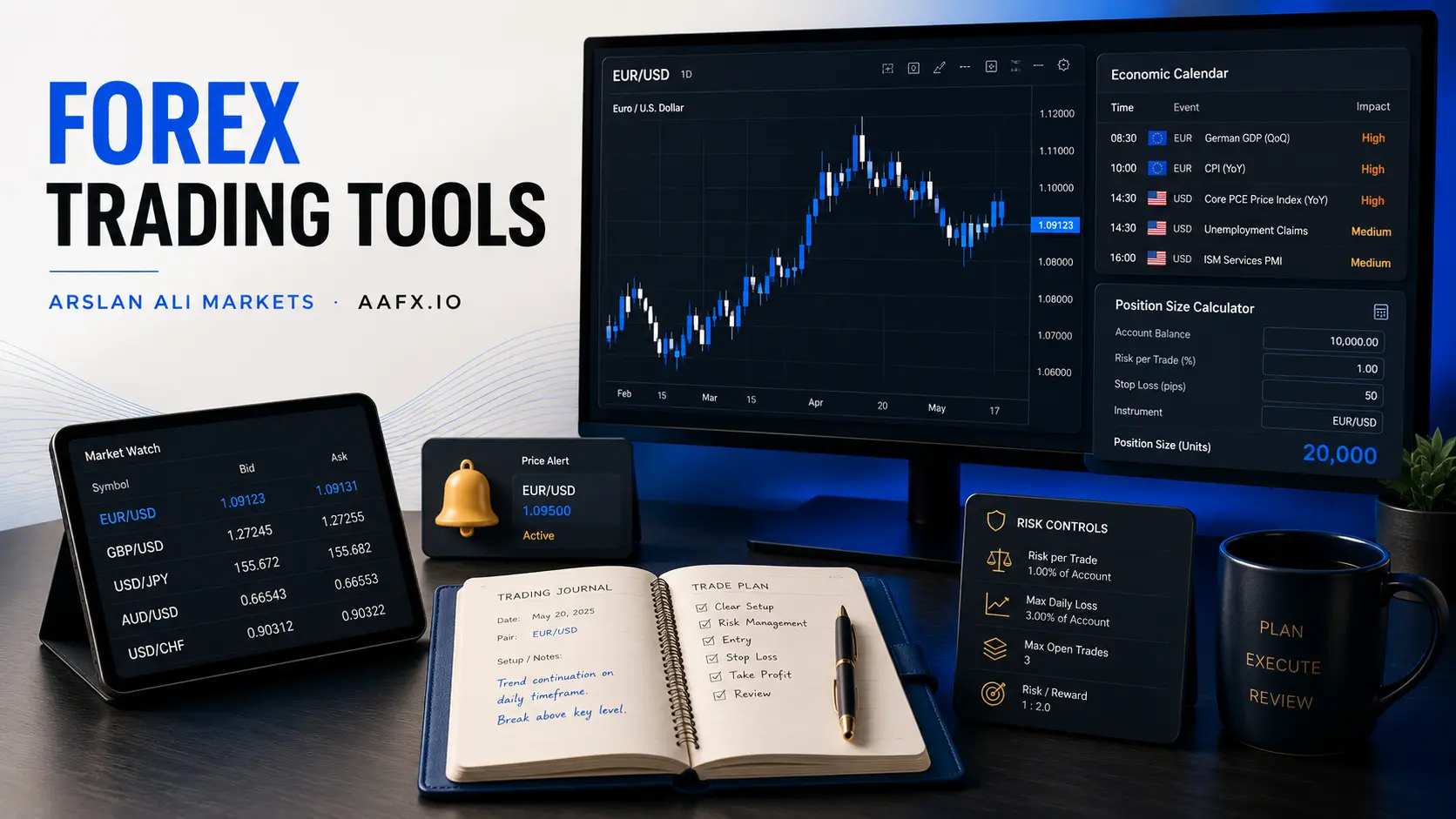
The most useful forex trading tools are the ones that help you answer a specific question: What is happening in the market? What event could move the pair? Where is the trade invalid? How large should the position be? And did the strategy work as planned? A practical toolkit usually includes a trading platform, charting software, economic calendar, reliable news and central-bank sources, technical indicators, position-size and pip calculators, alerts, volatility and correlation tools, backtesting software, a trading journal, and sentiment or positioning data. None of these tools creates an edge by itself. Their value comes from using them inside a clear trading process.
What Counts as a Forex Trading Tool?
A forex trading tool is any piece of software, data, calculator or workflow system that helps a trader analyse, execute, manage or review a currency trade. Some tools are built into MT5, cTrader or TradingView; others are standalone calendars, journals or calculators.
The foreign-exchange market is large enough that good tools matter. Final BIS Triennial Survey data show that OTC FX turnover averaged about $9.5 trillion per day in April 2025. A market this deep reacts continuously to interest rates, macro data, institutional positioning and global risk events. The goal of a toolkit is not to make the market simple; it is to organise the information so the trader can make fewer avoidable mistakes.
For beginners, fewer tools are usually better. Start with a chart, economic calendar, position-size calculator and journal. Add specialised tools only when you know what question they answer.
12 Essential Forex Trading Tools at a Glance
| Tool | Main job | Beginner value | Common mistake |
|---|---|---|---|
| 1. Trading platform | Charts, orders, positions and account control | Essential | Choosing software before checking the broker |
| 2. Charting package | Market structure and technical analysis | Essential | Using too many indicators |
| 3. Economic calendar | Upcoming macro events and consensus | Essential | Trading the headline without context |
| 4. News & central-bank sources | Catalysts and policy changes | High | Reacting to rumours instead of primary information |
| 5. Technical indicators | Measure trend, momentum or volatility | High | Treating indicators as predictions |
| 6. Position-size / pip calculator | Convert stop distance into trade size | Essential | Sizing from leverage instead of risk |
| 7. Stop/target & order tools | Predefine invalidation and exits | Essential | Assuming a stop guarantees the exact fill |
| 8. Volatility & correlation tools | Understand changing risk and linked exposure | Useful | Assuming correlations are permanent |
| 9. Alerts & watchlists | Reduce screen time and track conditions | High | Creating too many low-value alerts |
| 10. Backtesting / replay | Test rules on historical data | High | Overfitting the past |
| 11. Trading journal | Measure execution and decision quality | Essential | Recording only wins and losses |
| 12. Sentiment / positioning | See crowding and market bias | Useful | Treating sentiment as a timing signal |
1. Trading Platform: Your Execution Hub
The trading platform is where charts, orders and account information come together. MetaTrader 4, MetaTrader 5, cTrader and TradingView-connected broker workflows are common examples, but the best software depends on the broker and the trader. The platform does not determine regulation or execution quality by itself.
Current MetaTrader 5 documentation lists 21 timeframes, 38 built-in technical indicators and 44 analytical objects, along with an economic calendar and automated trading support. Those features are useful, but a beginner still needs to know the basics: where position size is entered, how pending orders work, how to modify a stop and where account margin is shown.
Use the Forex Trading Platforms guide for the full MT4 vs MT5 vs cTrader vs TradingView comparison. This page treats the platform as one part of the toolkit rather than repeating that comparison.
2. Charting Tools: Start With Structure, Not Indicators
A chart should first answer simple questions: Is price trending or ranging? Where are the major swing highs and lows? Where has price repeatedly reacted? Only after that should indicators be added.
Useful charting features include multiple timeframes, trendlines, horizontal support and resistance, drawing tools, saved layouts and the ability to compare instruments. A trader who cannot see the underlying price structure is unlikely to be helped by adding five oscillators.
3. Economic Calendar: Know What Can Move the Pair
An economic calendar shows scheduled releases such as inflation, employment, GDP, PMIs and central-bank meetings. The most useful fields are the release time, previous reading, consensus forecast and actual result. The surprise versus consensus often matters more than whether the headline looks “good” or “bad.”
Example: if U.S. CPI is expected at 2.8% and prints at 3.0%, traders may reprice Federal Reserve expectations. But the dollar reaction still depends on details, positioning and what was already priced in. The calendar tells you when risk is coming; it does not tell you the direction with certainty.
4. News and Central-Bank Sources: Separate Facts From Noise
Forex reacts to policy statements, speeches, elections, trade measures and geopolitical events. Fast news feeds are useful, but primary sources are often more reliable for important policy decisions. For central banks, read the actual statement or minutes when the details matter.
A good workflow is to use a fast news source for the alert, then verify the event through the relevant central bank, statistics office or government release before building a longer-term thesis.
5. Technical Indicators: Use Each One for a Specific Job
Technical indicators are mathematical transformations of price or volume-related data. They are useful when they measure something you have already decided matters – trend, momentum, volatility or mean reversion. They become dangerous when the trader treats them as automatic predictions.
Moving Averages: Trend Filter
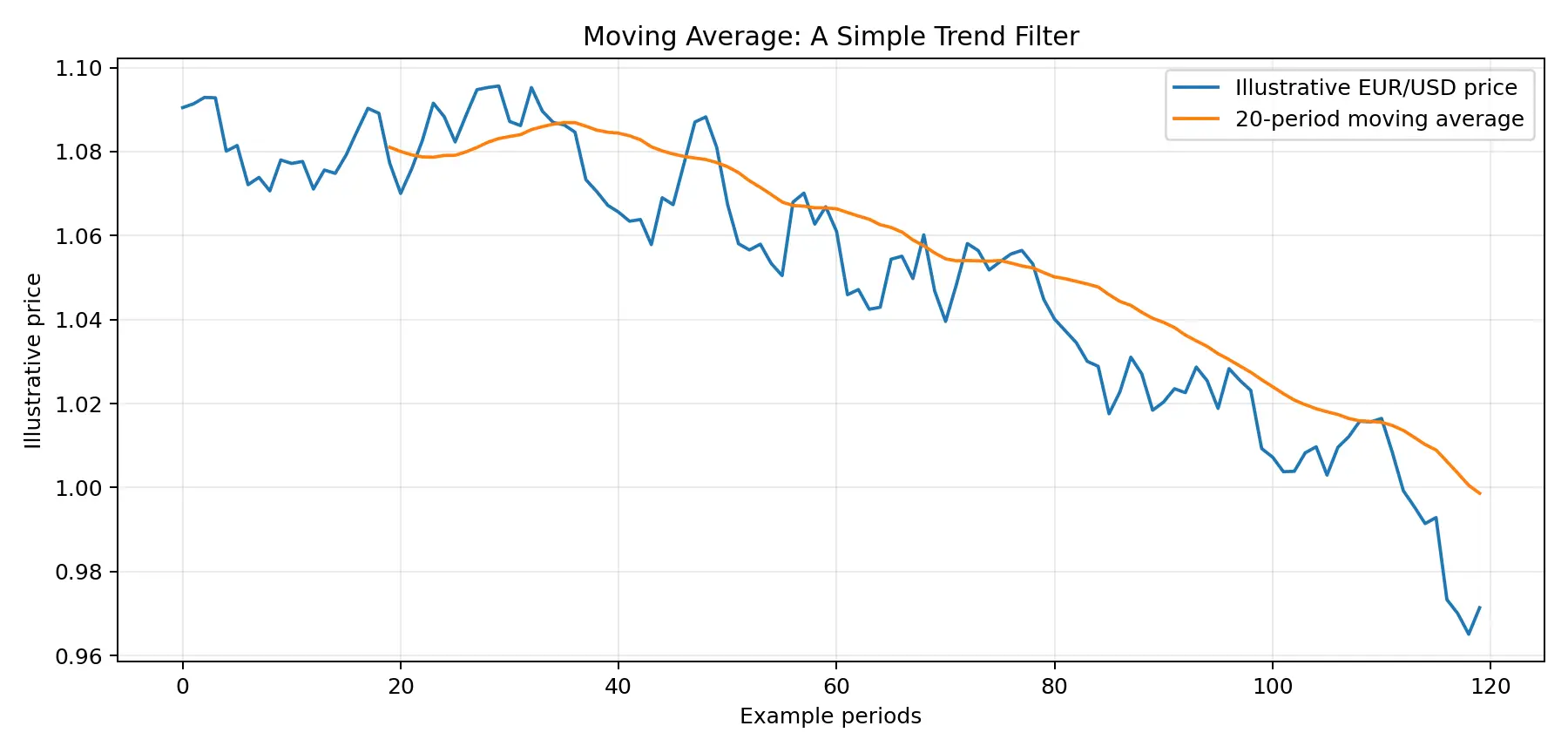
Moving averages smooth price and help show the direction of the recent trend. A rising average with price holding above it can support a bullish trend interpretation, but the average is lagging because it is calculated from past prices.
RSI: Momentum and Stretch
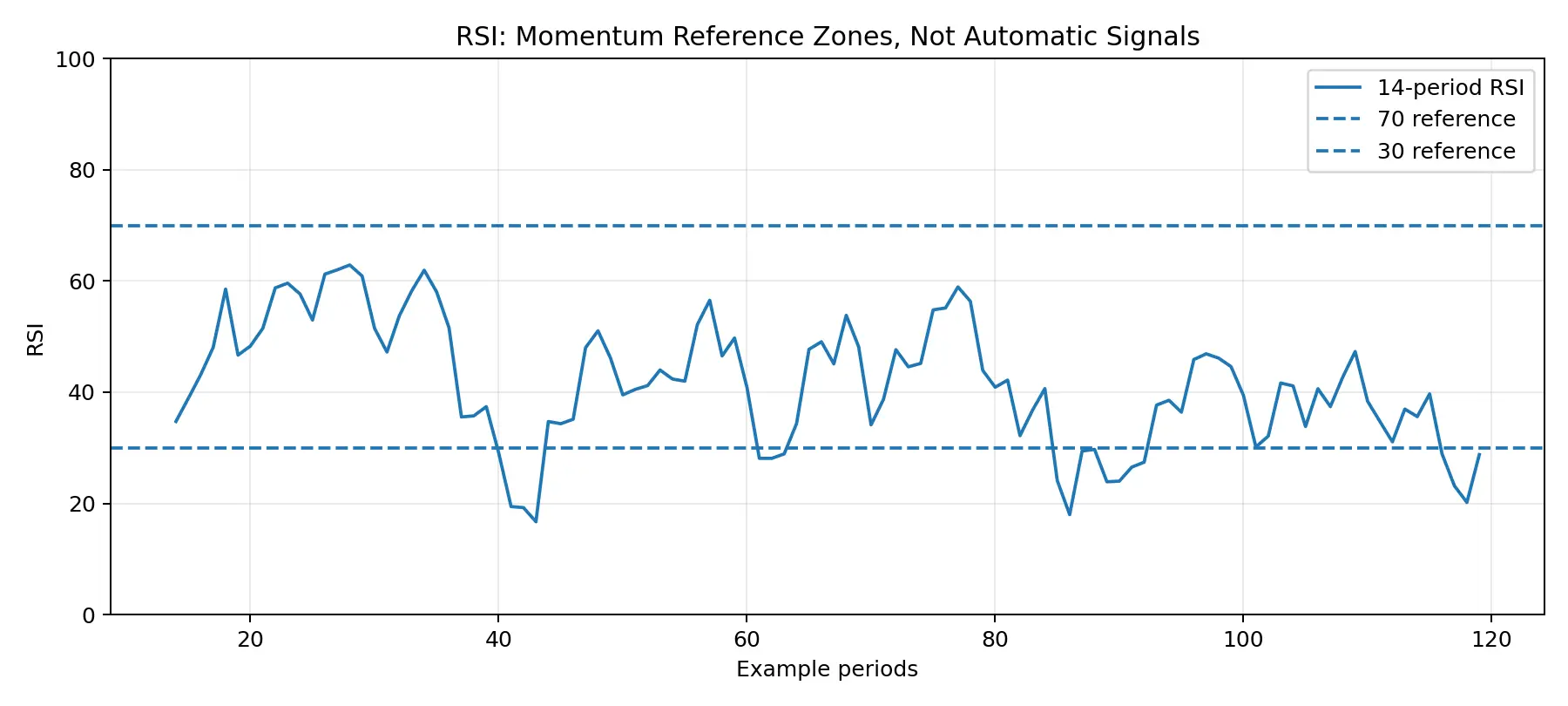
RSI measures the speed and magnitude of recent price changes. The familiar 70 and 30 levels are reference zones, not automatic sell and buy commands. Strong trends can remain overbought or oversold for much longer than beginners expect.
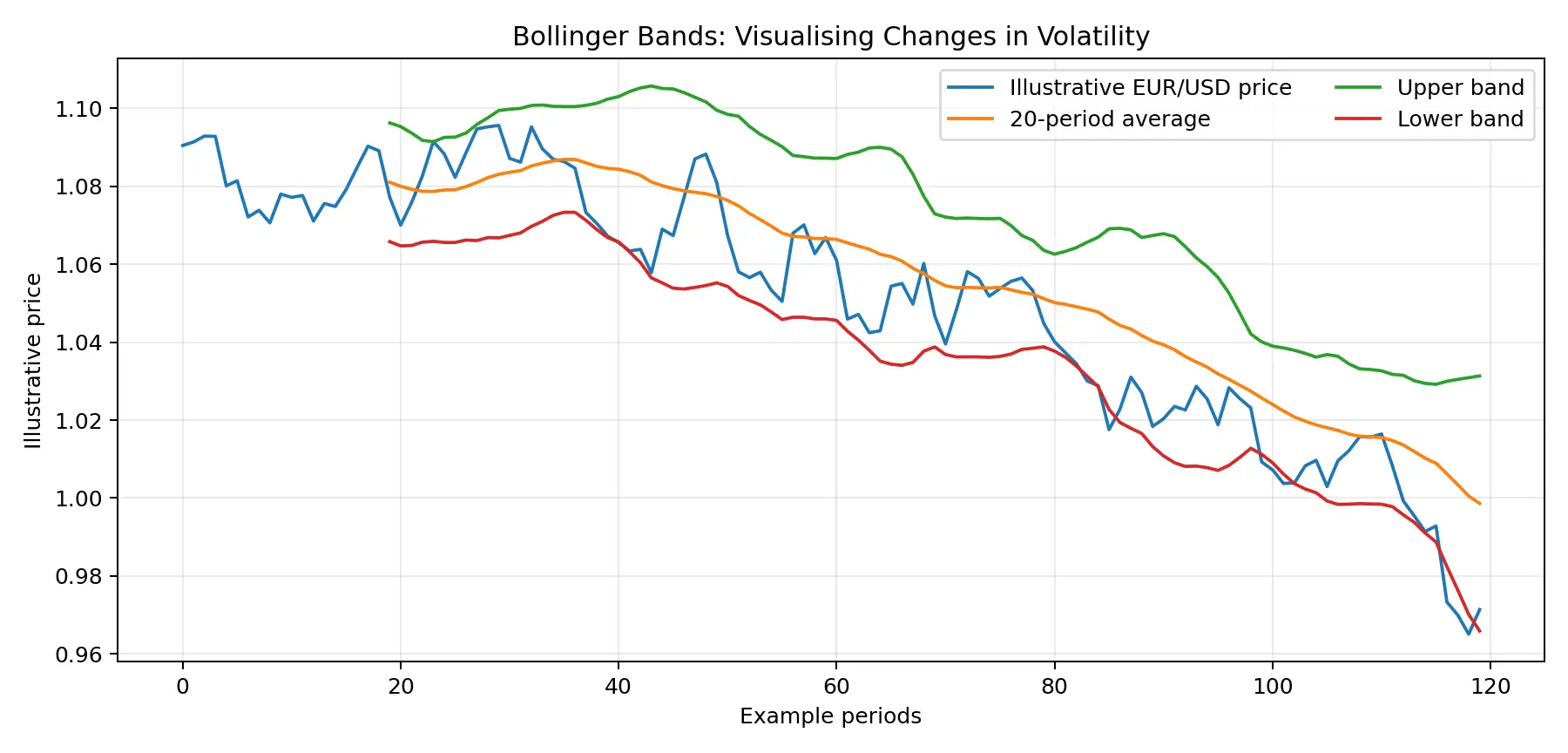
Bollinger Bands: Volatility
Bollinger Bands combine a moving average with bands commonly set around two standard deviations away. When the bands expand, recent volatility has increased; when they contract, volatility has declined. A touch of the upper or lower band is not, by itself, a reversal signal.
6. Position-Size and Pip Calculators: Turn Analysis Into Account Risk
A position-size calculator is one of the most important tools in the entire list because it connects the chart to the account. You enter the amount you are willing to lose if the trade fails, the stop distance and the pair; the calculator estimates the position size needed to keep risk within that limit.
Simple example: imagine a trader decides that a failed setup can lose no more than $25 and the technical stop is 50 pips away. The correct position size should be based on that $25 risk and the pip value – not on the maximum leverage offered by the broker.
This is why a $100 margin requirement does not mean the trade only risks $100. Margin is the amount required to hold the position; risk depends on exposure, stop distance, price movement and execution.
7. Stop-Loss, Take-Profit and Pending-Order Tools
Order tools let the trader define decisions in advance. Market orders enter immediately at available prices; limit and stop orders wait for a chosen level; stop-loss and take-profit instructions help automate exits.
The strongest use of a stop-loss is to place it beyond the level that makes the trade thesis wrong. A random 20-pip stop may be too tight for one market and too wide for another. Also remember that a normal stop is not a guaranteed price during gaps or extreme volatility.
8. Volatility and Correlation Tools
Volatility tools help estimate how much a currency pair is moving. Average True Range (ATR), recent range statistics and implied volatility can all give context for stop distance and expected movement. A strategy that works in a quiet market may behave very differently during an inflation release or central-bank shock.
Correlation tools help identify hidden concentration. EUR/USD and GBP/USD can both be heavily influenced by the U.S. dollar, so holding large positions in both can create more USD exposure than it first appears. Correlations change over time, so measure them rather than assuming they are permanent.
9. Alerts and Watchlists: Reduce Screen Time
Alerts are one of the most underrated forex tools. TradingView, for example, supports alerts on prices, indicators, drawings and strategies. Instead of watching EUR/USD all day, a trader can create an alert near a breakout level and return to the chart only when price reaches the area that matters.
A good watchlist should also be selective. Ten well-understood pairs are more manageable than 60 symbols that the trader barely follows.
10. Backtesting and Bar Replay: Test the Rules Before Risking Money
Backtesting asks a simple question: how would a clearly defined strategy have behaved on historical data? Platforms such as MT5 provide built-in strategy testing, while chart replay can help discretionary traders practise decision-making one candle at a time.
The danger is overfitting. A strategy can look excellent because the rules were adjusted repeatedly until they matched the past. A useful test keeps the rules simple, includes transaction costs where possible and uses out-of-sample data that was not used to design the strategy.
11. Trading Journal: The Tool That Shows Whether You Are Improving
A trading journal records more than entry and exit prices. Useful fields include the setup type, market regime, reason for entry, stop, target, position size, screenshot, catalyst, result and whether the plan was followed.
The goal is to separate strategy quality from execution quality. A good trade can lose. A bad trade can win. If the journal only records profit and loss, it cannot tell you which one happened.
12. Sentiment and Positioning Tools
Sentiment tools help identify whether traders are heavily positioned in one direction. CFTC Commitments of Traders data, options positioning and broker retail-sentiment data are common examples.
Use them carefully. COT data are weekly and relate to futures and options positioning rather than the entire spot forex market. Retail sentiment represents one provider’s clients. These tools are better for context and crowding than for precise entries.
Where Do Trading Strategies Fit Into the Toolkit?
Trading styles such as scalping, day trading, swing trading and position trading require different tools and time horizons. The advanced forex and CFD strategy guide covers those methods in depth; here, the key point is to match the toolset to the strategy.
| Trading style | Tools that matter most | Why |
|---|---|---|
| Scalping / day trading | Fast execution, short-term charts, alerts, spread monitoring, economic calendar | Small moves make costs and timing important |
| Swing trading | 4H/daily charts, economic calendar, alerts, correlation, journal | Trades can span several data releases and sessions |
| Position trading | Fundamental data, central-bank sources, weekly charts, financing-cost tools | Macro trends and holding costs matter more |
| Systematic / automated | Backtester, clean data, platform automation, logs and journal | The rules must be measurable and testable |
A Beginner Forex Toolkit: Start With Just 5 Tools
A regulated broker and a platform you understand.
One clean charting layout with support/resistance and no more than one or two indicators.
An economic calendar for scheduled volatility.
A position-size calculator and predefined stop-loss process.
A trading journal with screenshots and notes.
Only add more tools when you can explain exactly what problem they solve. The fastest way to create analysis paralysis is to install every indicator, signal service and news feed at once.
Example: Using the Toolkit on a EUR/USD Trade
Imagine EUR/USD is approaching resistance before a U.S. inflation report. The economic calendar shows CPI is due in two hours, so the trader decides not to enter early. An alert is placed near the resistance level.
After the release, EUR/USD breaks resistance and holds above it. The chart shows improving structure; RSI is strong but not used as the sole reason for entry. The trader places the invalidation level below the breakout structure, then uses a position-size calculator so the loss at the stop remains within the planned account risk.
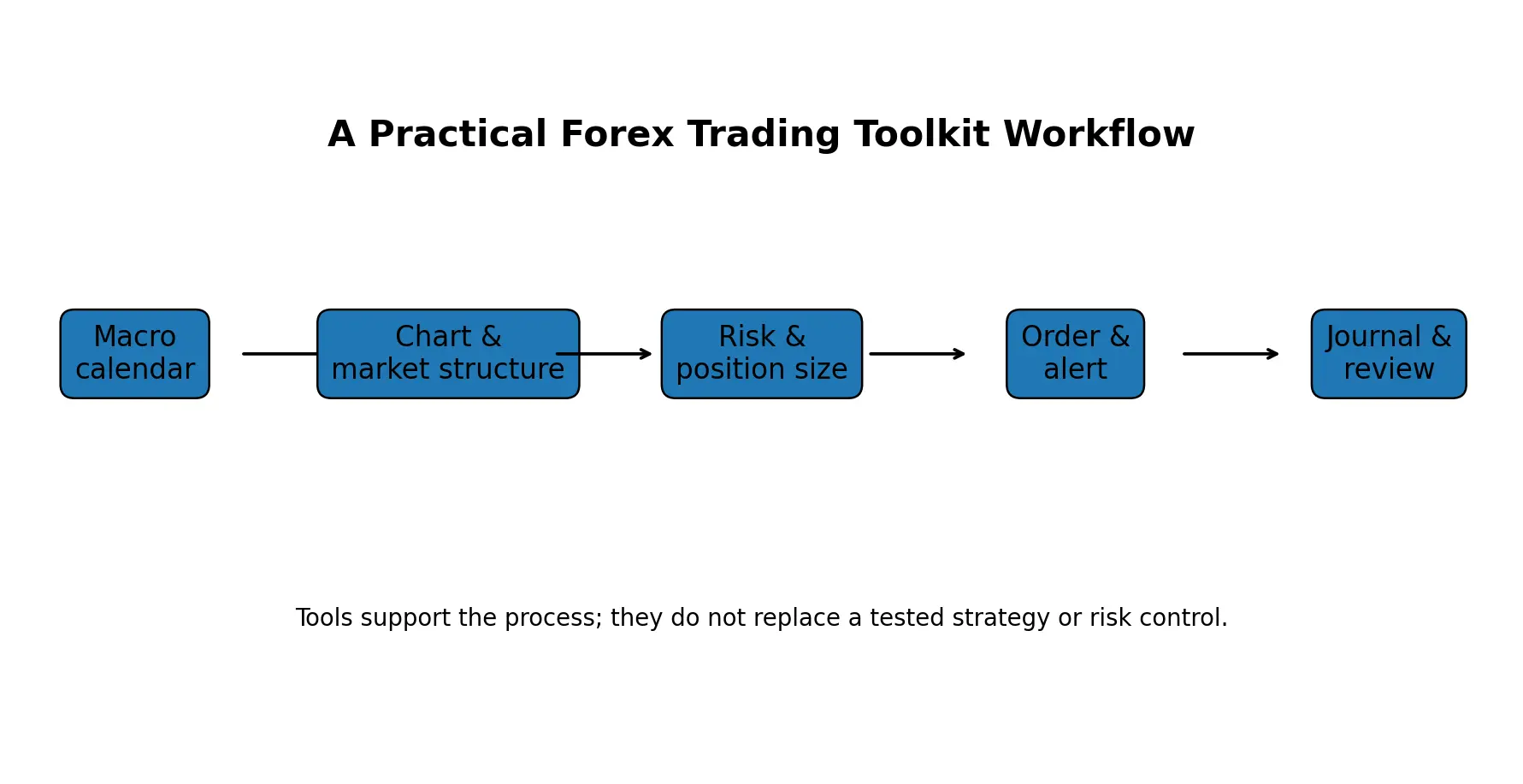
After the trade closes, the screenshot and reasoning go into the journal. That one example uses the calendar, alert, chart, indicator, risk calculator, order tool and journal – but each tool has a specific job.
Tools and Resources to Treat With Caution
Guaranteed-profit robots
No legitimate tool can guarantee future returns. Automated systems can fail when market behaviour changes.
Unverified signal groups
A screenshot of profitable trades is not a verified track record. Check methodology, risk and conflicts.
Too many indicators
Stacking five momentum indicators does not create five independent confirmations.
Old backtests with no costs
A strategy can disappear after spreads, slippage and financing are included.
AI outputs without verification
AI can help organise research, but economic data, broker rules and live market information should be verified from current sources.
How to Choose Forex Trading Tools
1. Start with the question the tool must answer.
2. Prefer tools with clear data sources and transparent calculations.
3. Check whether the data are delayed, broker-specific or market-wide.
4. Avoid paying for features already available in your platform.
5. Test workflow speed in demo mode before using the tool live.
6. Review recurring subscription costs against the real value to your process.
7. Do not let a tool override the risk rules in your trading plan.
Frequently Asked Questions
What are the best forex trading tools for beginners?
Start with a reliable trading platform, clean charting, an economic calendar, a position-size calculator and a trading journal. These cover analysis, event risk, trade sizing and review without overwhelming the trader.
What tools do forex traders use?
Common tools include platforms such as MT5 or cTrader, TradingView-style charting, economic calendars, indicators, pip and position-size calculators, alerts, backtesting tools, journals and sentiment data.
Can forex trading tools make you profitable?
No tool guarantees profitability. Tools can improve information, consistency and risk control, but the strategy still needs a real edge and disciplined execution.
What is the most important forex trading tool?
For risk control, a position-size calculator is one of the most important. For the overall process, the trading platform and chart are foundational. The answer depends on the job the trader needs to perform.
Are free forex trading tools enough?
For many beginners, yes. Free or broker-provided charts, calendars, alerts and journals can be enough to learn the process. Paid tools should solve a specific limitation rather than be purchased because they promise better returns.
Do I need forex signals?
No. Signals are optional. A trader can build a process using price analysis, macro information and risk tools without subscribing to a signal service.
Which indicators should a beginner use?
A simple trend tool such as a moving average and one momentum tool such as RSI can be enough for learning. The chart structure and risk plan matter more than the number of indicators.
What is the best way to learn forex trading?
Use the Forex Trading for Beginners guide, practise platform mechanics in demo mode, study one strategy at a time, keep a journal and review results over a meaningful sample. Avoid jumping between strategies after a few trades.
Bottom Line
The strongest forex toolkit is not the one with the most software. It is the one that helps the trader move cleanly from information to analysis, risk definition, execution and review.
For most beginners, a trading platform, chart, economic calendar, position-size calculator and journal are enough to build a solid process. Indicators, correlation tools, sentiment data and backtesting become useful when the trader knows what question each one is supposed to answer.
Arslan Ali Markets at AAFX.IO uses this guide as its forex tools-and-resources hub. For deeper instruction, continue with Forex Market Analysis, Forex Fundamental Analysis, the platform comparison and the dedicated strategy guide.
Risk Warning
Forex and leveraged derivatives involve substantial risk. Tools, indicators and automation do not guarantee profits. Spreads, slippage, leverage and market gaps can materially affect results. This article is educational and is not personalised financial advice.
Sources & Methodology
Primary-source standard: Market-moving facts should link to original data releases, regulator notices, company filings or official project announcements whenever available. Secondary reporting is used for additional context, not as a substitute for original evidence.
Page last reviewed: